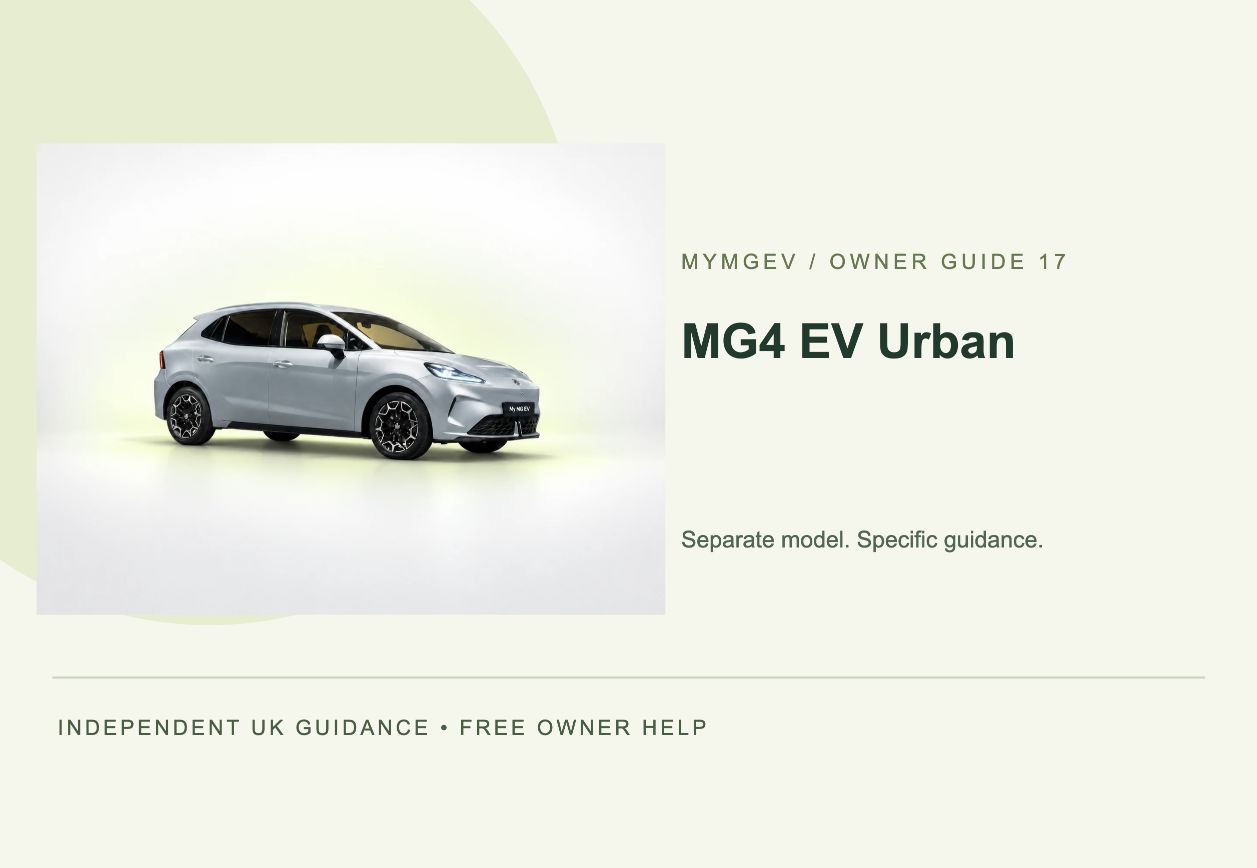
Start with the exact car
Grade first. Advice second.
Do not apply ordinary MG4 EV specifications or control assumptions. Comfort Standard Range, Comfort Long Range and Premium Long Range use the Urban platform and its own technical data.
| Current UK grade | Published battery | Official WLTP | Rapid charging |
|---|---|---|---|
| Comfort Standard Range | 42.8 kWh | Up to 201 miles | up to 82 kW DC |
| Comfort Long Range | 53.9 kWh | Up to 258 miles | up to 87 kW DC |
| Premium Long Range | 53.9 kWh | Up to 251 miles | up to 87 kW DC |
Match the grade in the order paperwork and vehicle details. Production changes, options, software and used-car model years can alter equipment. A visual resemblance is not proof of specification.
First hour and first week
Capture the baseline before changing settings.
- Record the identity. Photograph or note the exact grade, registration documents, every supplied key or access card and displayed odometer. Keep VIN and address details out of public posts.
- Inspect the physical car. Walk around in daylight; check glass, body, wheels, tyre sidewalls, charge-port flap, supplied cables and accessories.
- Confirm access. Test every supplied access device, normal locking, charging-port access and any powered body feature with clear space around the car.
- Record software. Photograph the complete version screens before accepting an update or retailer change.
- Pair one primary driver. Use the official iSMART app where compatible, the registered owner details and the vehicle’s own binding screen.
- Complete one known charge. Learn how the car, cable and charger each indicate start, active charging and completion before trusting a schedule.
AC, public and rapid charging
Separate the car, cable and charger.
A failed session does not identify the failed component. Record the message at the car and the charger, the displayed state of charge, whether a vehicle or wallbox schedule is active, and whether the connector locked normally.
Prove the simple session
Before a comparison test, save the original vehicle, app, wallbox and tariff settings and check the cost of charging outside your usual window. If a supplier manages charging, follow its current integration instructions rather than disabling its controls indiscriminately. Where a short supervised test is permitted, change one supported schedule at a time, connect normally and confirm that both vehicle and charger show active charging. Restore the original restrictions afterwards. Immediate charging that works while the scheduled session fails points towards a schedule or controller interaction; failure in both tests needs the actual vehicle and charger messages recorded instead.
Know which side owns the session
The post, app or RFID service may need to authorise or end charging before the vehicle releases the connector.
A peak is not a promise
Battery temperature, charge level, charger capability and sharing can limit power. Judge the curve and energy delivered, not one instant.
Do not use a connector that is hot, damaged, wet inside, sparking, smoking or giving a burning smell. Move away and follow the site operator or emergency route.
Plan from evidence
WLTP identifies the grade. Your journeys identify your car.
Official range is a controlled comparison figure—not a guaranteed trip distance. Start from current displayed charge, recent consumption, route speed, weather, elevation, heating and a deliberate arrival reserve.
- Short cold journeys often look disproportionately inefficient because cabin and battery heating are front-loaded.
- Motorway speed, wet roads, headwinds and cold tyres can move consumption more than small cabin-setting changes.
- Do not infer battery degradation from one low estimate or one rapid-charge session.
- Use the same exact grade when comparing journeys; wheel and drivetrain differences matter.
iSMART and software
The vehicle display outranks the app.
Where MG4 EV Urban supports iSMART functions, treat remote status as a time-stamped report. Before relying on lock or charging information, compare the app’s last-updated time with the physical car.
- Install only the official app-store version and confirm phone compatibility.
- Bind through your own account and the QR code generated by the vehicle’s account screen.
- If a used vehicle reports “already bound”, use the supplying retailer or verified MG support route; never borrow the previous owner’s account.
- Record the full current software version before any change.
- Install only packages offered by the car or an authorised repairer for that exact vehicle. Forum firmware is not an acceptable source.
Contact patch and TPMS
The physical tyre is the truth.
Use the pressure label on this exact vehicle, with tyres cold and an accurate gauge. Do not copy a value from another grade, an online photo or a remembered forum post.
- Stop safely for changed handling, visible damage or rapid pressure loss.
- Check all four tyres even when the display highlights one position.
- After wheel rotation or replacement, displayed positions may need a model-specific relearn.
- Never clear a warning simply to hide it before the physical pressure and tyre condition are known.
No response and recovery
A high-voltage battery can be charged while the car appears dead.
The 12-volt system powers locks and control electronics. No lights, screens or unlocking response can therefore be different from an empty traction battery. Access, approved connection points and recovery steps vary by model and year.
Never touch, probe or disconnect orange components. Collision damage, flooding, heat, smoke, hissing or exposed high-voltage parts require emergency or trained professional help.
Repeatable owner checks
Small checks prevent noisy diagnoses.
Observe
Tyres, warning messages, charge-port condition, cable damage and the difference between app status and physical state.
Record
Cold tyre pressures, odometer, charging behaviour and software version after any confirmed change.
Prepare
Tyre condition, screenwash, cable cleanliness, key batteries, known home charging and a larger journey reserve.
Follow the service schedule and consumable specifications supplied for the exact vehicle. MyMGEV does not invent a universal interval.
Build useful evidence
Turn ownership into a clean timeline.
Use My MG Passport to record services, tyres, charging, software and warnings without an account. Use Range Twin for journeys with start/end charge, miles, temperature and road mix. Together they create a better handover and make patterns visible without uploading owner data.
Escalate cleanly
Describe observations—not a guessed diagnosis.
For a breakdown operator or retailer, record the exact displayed message, whether the vehicle powers on, current charge, charging state, recent work or update, weather, time and what changed immediately beforehand. Do not include passwords, QR codes, precise home location or unnecessary identity documents.
Primary model source
MG4 EV Urban UK brochure — August 2026 ↗Grade headlines above were checked against the linked current UK source on 17 October 2026. Procedures link to MyMGEV’s separately reviewed safety and owner guides. Always follow the handbook and messages supplied with the exact vehicle.