YOUR UK OWNER HUB
Your MG IM6.
All in one place.
A clearer route through IM6 ownership, from handover to the next long journey.
Choose a trim to personalise tool links and your checklist.
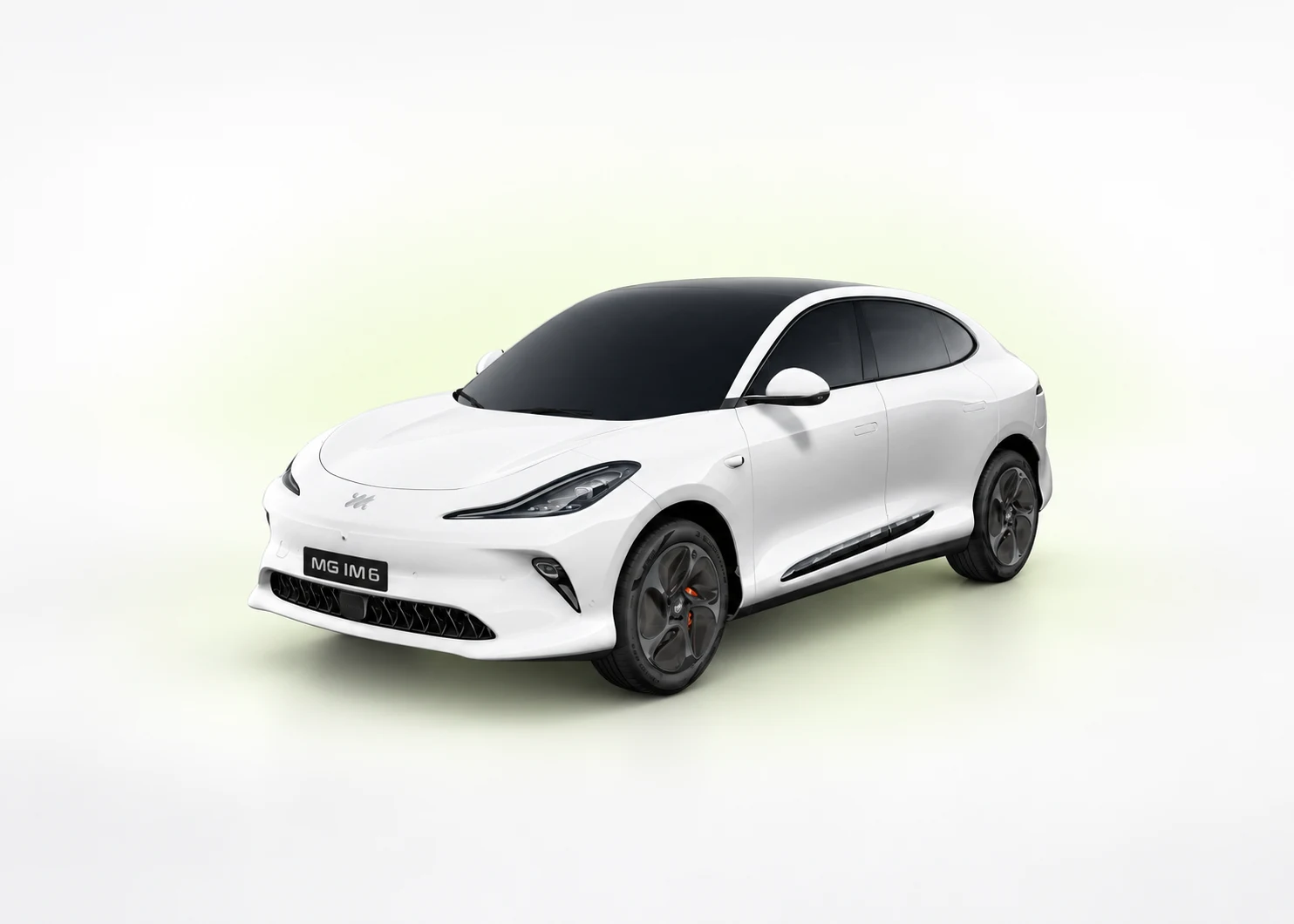
NEW · THREE GUIDES FOR YOUR CAR
From the right grade to the first charge.
Identify your car, work through the first week and make sense of charging. Choose the full grade inside each guide.
WHAT DO YOU NEED TODAY?
Less searching. A clearer next step.
Long Range, Performance and Launch Edition are separate grades. Match your paperwork before borrowing wheel, range or equipment information.
Understand your IM6 grade
Separate Long Range, Performance and Launch Edition before choosing a specification.
Cable stuck or charging will not start
Start with the safety checks and the correct release or failed-charge route.
Pair a phone or sort out app access
Check app compatibility, account binding and previous-owner access as separate steps.
Check software and update routes
Record the full version screen and find the official route for the exact vehicle.
Plan a journey with a reserve
Use the selected grade in the range planner. Estimates are not live vehicle data.
Work out home charging cost
Use your tariff and a confirmed usable capacity. Check the assumptions before calculating.
Tyre warning or wrong wheel shown
Read the physical-tyre checks before following any reset or relearn procedure.
Car will not unlock or seems dead
Find the vehicle-access and 12-volt recovery route without guessing connection points.
Winter range or slow cold charging
Separate changed conditions from a fault and allow for a larger journey margin.
Keep a service and charging log
Record servicing, charging, tyres and software in your private Passport.
Learn from your own journeys
Build Range Twin from recorded journeys for the car saved in My Garage.
Something wrong right now?
Use the symptom questions to find an escalation or guide route—not an automated diagnosis.
Open your owner dashboard
Bring together your saved car, records, reminders and owner shortcuts.
Prepare for collection day
Use the model’s handover chapter for paperwork, access, equipment and first-use checks.
Check for a UK safety recall
Use the official GOV.UK service, then contact the retailer about outstanding work.
Separate iSMART from phone projection
App ownership, Bluetooth and in-car phone projection are different connections.
No matching guide here. Try fewer words or search all published guides. We do not generate a diagnosis.
Immediate danger? For fire or immediate danger call 999. These pages are guidance, not emergency support or remote diagnosis.
MAKE A GOOD START
Your handover.
Your checklist.
Eight useful checks for a new or used MG IM6. Tick an item after you have completed it—not just opened the guide.
Choose your exact trim above to keep separate progress for that grade.
Progress is saved in this browser. It is not an inspection or proof that the car is safe.
Checklist ticks stay in this browser, on your device. Clearing website data removes them; they do not sync to another phone or computer.
Ask the retailer to identify the exact grade and demonstrate the equipment fitted to this car, including any suspension settings.
Read the relevant guide →Check the vehicle paperwork, condition, charging equipment and agreed outstanding items with the retailer.
Read the relevant guide →Ask for a demonstration of the supplied access devices and the correct account-transfer process for a used car.
Read the relevant guide →Check the app and phone requirements for the exact car. Keep passwords, QR codes and security PINs private.
Read the relevant guide →Follow the exact handbook and charger instructions. Check the car’s actual charge state before relying on a timer or remote app.
Read the relevant guide →Locate the vehicle pressure label and wheel/tyre specification. Use those references, not a figure copied from another grade.
Read the relevant guide →Note the full version screen and ask which official update route applies. Do not download unofficial firmware.
Read the relevant guide →Keep the handbook and assistance details accessible. Add your own service reminders and export a backup of private records.
Read the relevant guide →
READ AT YOUR OWN PACE
The complete MG IM6 guide.
01Exact grade→02Handover→03Charging→04Range→05Phone & software→06Tyres→0712-volt & access→08Seasonal checks→09Owner records→10Faults & help→
My MG Passport
Your service, tyre, charging and software history, kept on your device.
Open PassportRange Twin
Compare journeys you have recorded for the car saved in My Garage.
Open Range TwinOwner Intelligence
Choose your car and explore published symptom routes and site updates.
Open Intelligence CentreMODEL REFERENCE
Keep the source in view.
Existing published model information is retained below. Match the model year and exact grade; test figures are not guaranteed real-world results. A shared guide does not establish that a feature is fitted to every car.
Open MG IM6 specifications and model notes
Up to 388 miles
100 kWh nominal battery, 96.5 kWh usable, 300 kW and 5.4 seconds from 0–62 mph.
Up to 313 miles
100 kWh nominal battery, 96.5 kWh usable, 553 kW and 3.5 seconds from 0–62 mph.
Up to 396 kW DC
MG estimates 10–80% in 17 minutes on a suitable 350 kW charger under test conditions.
UK technical comparison
Swipe the comparison table to see every trim →
| Specification | 100 Long Range | 100 Performance | 100 Launch Edition |
|---|---|---|---|
| Driven wheels | Rear | All-wheel drive | All-wheel drive |
| Usable battery | 96.5 kWh | 96.5 kWh | 96.5 kWh |
| WLTP combined range | 388 miles | 313 miles | 313 miles |
| Maximum power | 300 kW | 553 kW | 553 kW |
| 0–62 mph | 5.4 sec | 3.5 sec | 3.5 sec |
| Maximum DC rate | 396 kW | 396 kW | 396 kW |
| AC onboard charger | 11 kW | 11 kW | 11 kW |
| Boot / seats up | 665 L | 646 L | 646 L |
| Maximum braked towing | 1,500 kg | 1,500 kg | 1,500 kg |
Range and charging: official test figures are comparative, not guarantees. Weather, speed, load, battery temperature, charger capability and starting charge affect real results.
Hub layout updated 10 September 2026. For the specification review date and evidence, see the complete guide’s source ledger. Report an error or missing guide →